
Requesting app access
You can request access to apps that you don’t have permission to open.
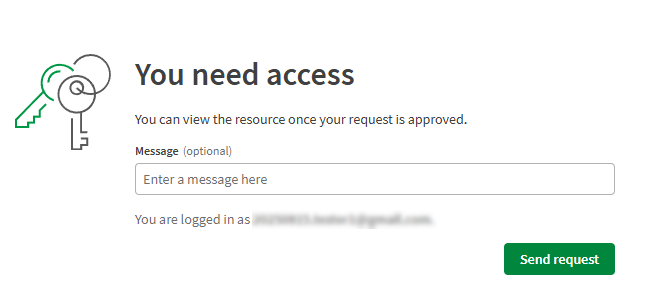
When you try to open an app through a shared link without permission, and access request page appears. The space owner and members with the Can manage role receive your request and can approve or deny it. They can grant access only to the app or to the entire space, which also gives you access to other content in that space.
Requesting access to an app
You can request access when you click a link to an app (for example, shared via email or chat), the app is in a shared or managed space, and you don’t currently have permission to open it.
Do the following:
-
Click the link to the app.
-
If you don’t have permission, the access request page opens.
Access request page where you can enter a message and send a request.
-
Enter a short message explaining why you need access.
-
Click Send request.
What happens after you send a request
Approvers receive a notification and can approve or deny your request. Approval can be:
-
App access: You can view the app only.
-
Space access: You are added to the space with specific roles, giving you access to the app and all other content in the space.
You receive a notification if your request is approved. If no action is taken, requests expire after six months. Sending a new request replaces the previous one.
For more information about access approval, see Approving access requests.
Managing notifications for access requests
To change notifications for when you are invited to an app or space:
-
Go to your personal settings and select Notifications.
-
In the Spaces section, turn on or off notifications for I am invited to new content.
For more information, see Notifications